> For the complete documentation index, see [llms.txt](https://docs.motivewave.com/llms.txt). Markdown versions of documentation pages are available by appending `.md` to page URLs; this page is available as [Markdown](https://docs.motivewave.com/user-guide/instruments/custom-instruments.md).
# Custom Instruments
{% hint style="success" %}
Professional / Ultimate
{% endhint %}
MotiveWave™ allows you to create custom instruments that are based on 2 or more existing instruments. There are 3 types of custom instruments:
* **Spread** – Displays the difference between two instruments
* **Ratio** – Displays the ratio by dividing the price of one instrument by another
* **Index** – Allows you to combine the prices of 2 or more instruments into an index
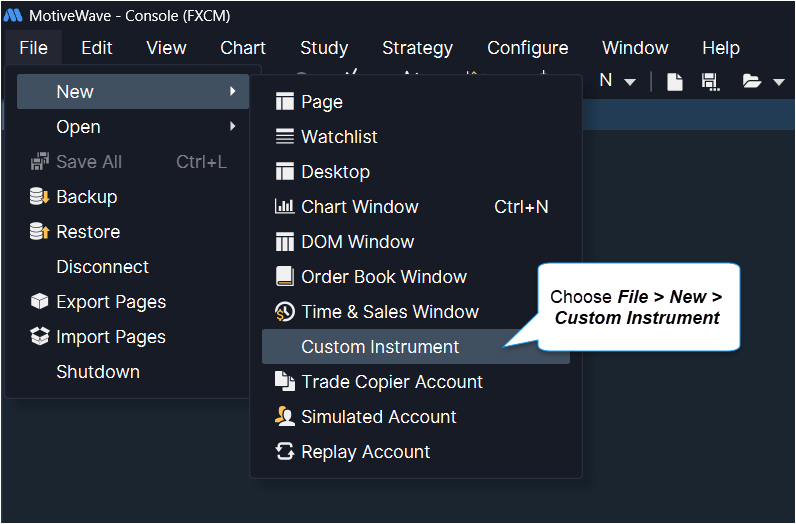
To create a new custom instrument, choose ***File > New > Custom Instrument*** from the Console menu bar:
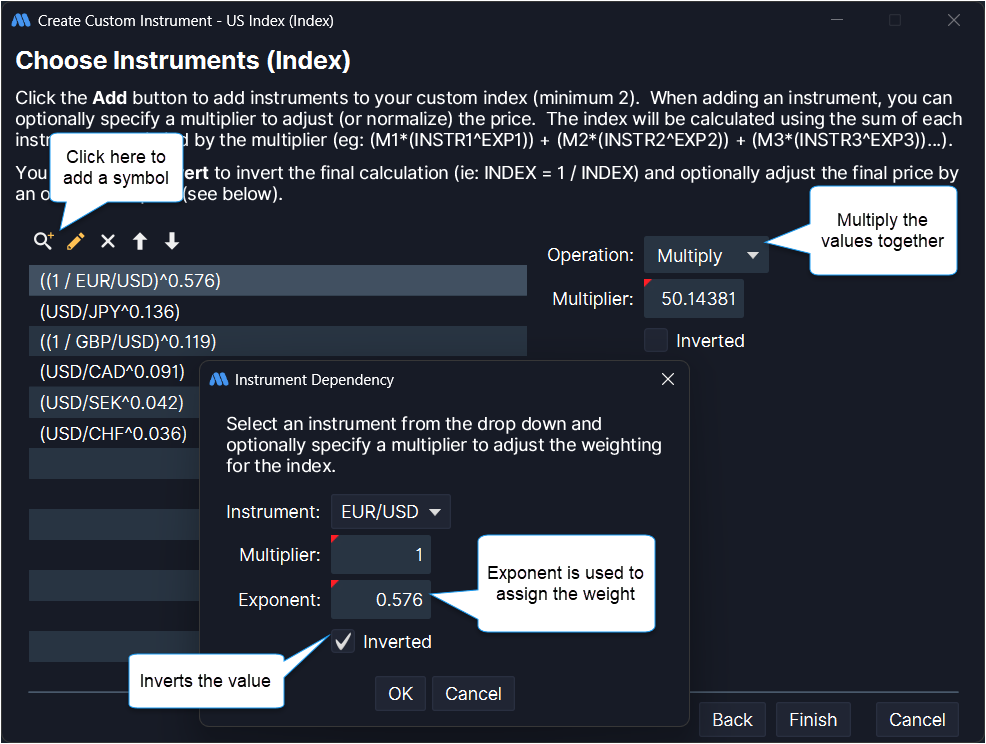
This will open a wizard to guide you through creating a custom instrument. You will need to enter a unique symbol for the instrument (it cannot match any existing instrument in the workspace). In the following example we are going to create a custom index (US Dollar Index). The minimum tick value specifies the minimum amount for each change in the instrument price.
The US Dollar Index measure the relative value of the US Dollar vs a set of foreign currencies. For more information see the definition on Wikipedia: . In this case we need to include 6 different currency pairs and use the exponent option to assign a weight to each one (**Note:** EUR/USD and GBP/USD need to be inverted):
* **EUR/USD** – 57.6% weight (inverted) (Euro dollar)
* **USD/JPY** – 13.6% weight (Japanese Yen)
* **GBP/USD** – 11.9% weight (inverted) (British Pound)
* **USD/CAD** – 9.1% weight (Canadian Dollar)
* **USD/SEK** – 4.2% weight (Swedish Krona)
* **USD/CHF** – 3.6% weight (Swiss Franc)
These values are multiplied together and then multiplied by 50.14381 (see link above for the reason for this number).
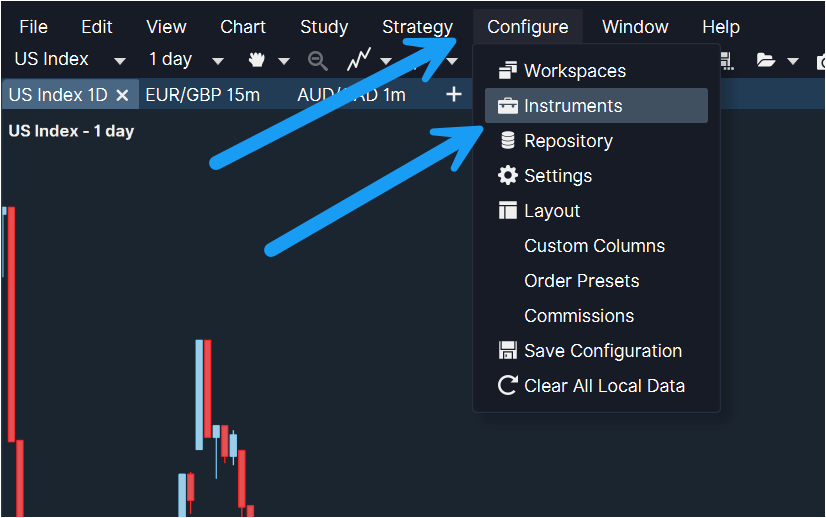
The following chart shows daily candles for the custom index that we created above. Incoming price updates will also be calculated using the formula that was defined for the instrument.
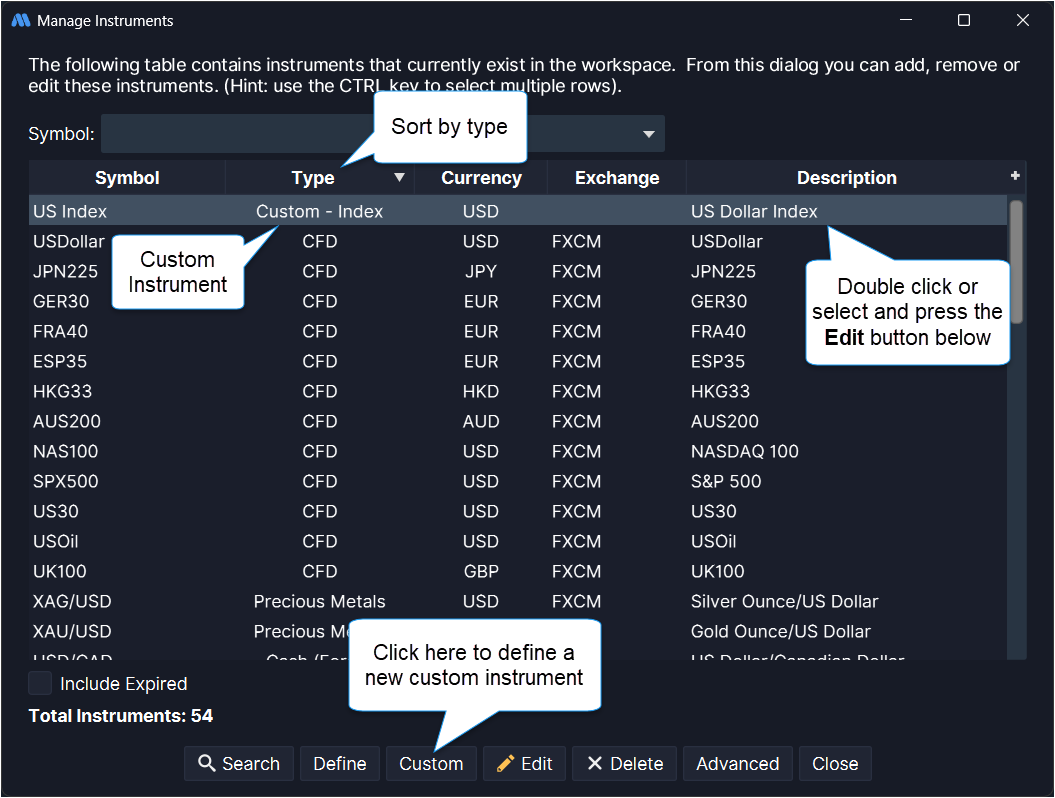
Custom instruments can be edited/managed from the **Manage Instruments** dialog (*Configure > Instruments* from the Console menu bar). The easiest way to display all custom instruments in the workspace is to sort the table by the **Type** column (ascending). If you double click on a custom instrument, the **Edit** **Custom Instrument** dialog will be opened allowing you to edit the instrument.